Five minutes.Whole portfolio.Inside Claude.
On 13 May 2026 Anthropic released the Claude for Small Business plugin: 15 workflows and 15 skills, free, bundled together for teams of one to ten. It is the closest thing yet to an off-the-shelf operating layer for a property portfolio. The setup takes about the length of a cup of coffee.
Why this matters
Running a property portfolio is the original small business. One person, a handful of contractors, a stack of spreadsheets, and a calendar full of dates that cost you money if you miss them. The tools are all there. The integration between them is not.
Anthropic's small business plugin is the first piece of software that treats a one-to-ten person operation as a real customer, not a downsized enterprise. It bundles 15 workflows and 15 skills that span finance, ops, contracts, and customer comms, and ships them as a single install inside Claude Co-Work.
For a retail property investor it lands as something more specific: a manager you do not have to hire, a bookkeeper that does not bill by the hour, and an assistant that already knows where every signed document lives.
One install. Fifteen workflows. The closest thing to a property manager you do not have to hire.
What you're building
A single chat inside Claude Co-Work that can pull your rent payments, draft your contractor follow-ups, prep your quarter-end books, and surface anything outstanding across your portfolio. Ask one question. Get one ranked answer.
The setup is a one-time job. After that, every Monday morning pulse takes about thirty seconds to ask and under two minutes to read.
Claude Pro or Max. The plugin lives in Co-Work, which is gated behind a paid plan. Pro is $20 a month.
Accounts on the tools you already use. Xero or QuickBooks, DocuSign, Google Workspace, HubSpot if you have one, Slack if your team uses it. You are not adding new tools, you are wiring up the ones you already pay for.
About ten minutes. Five to install and connect, five to run your first pulse.
Find it. Install it. Five clicks.
The plugin is free, lives in the Co-Work plugin directory, and installs in under a minute. The catch: you need to know the exact name, because the directory is starting to fill up with copycats.
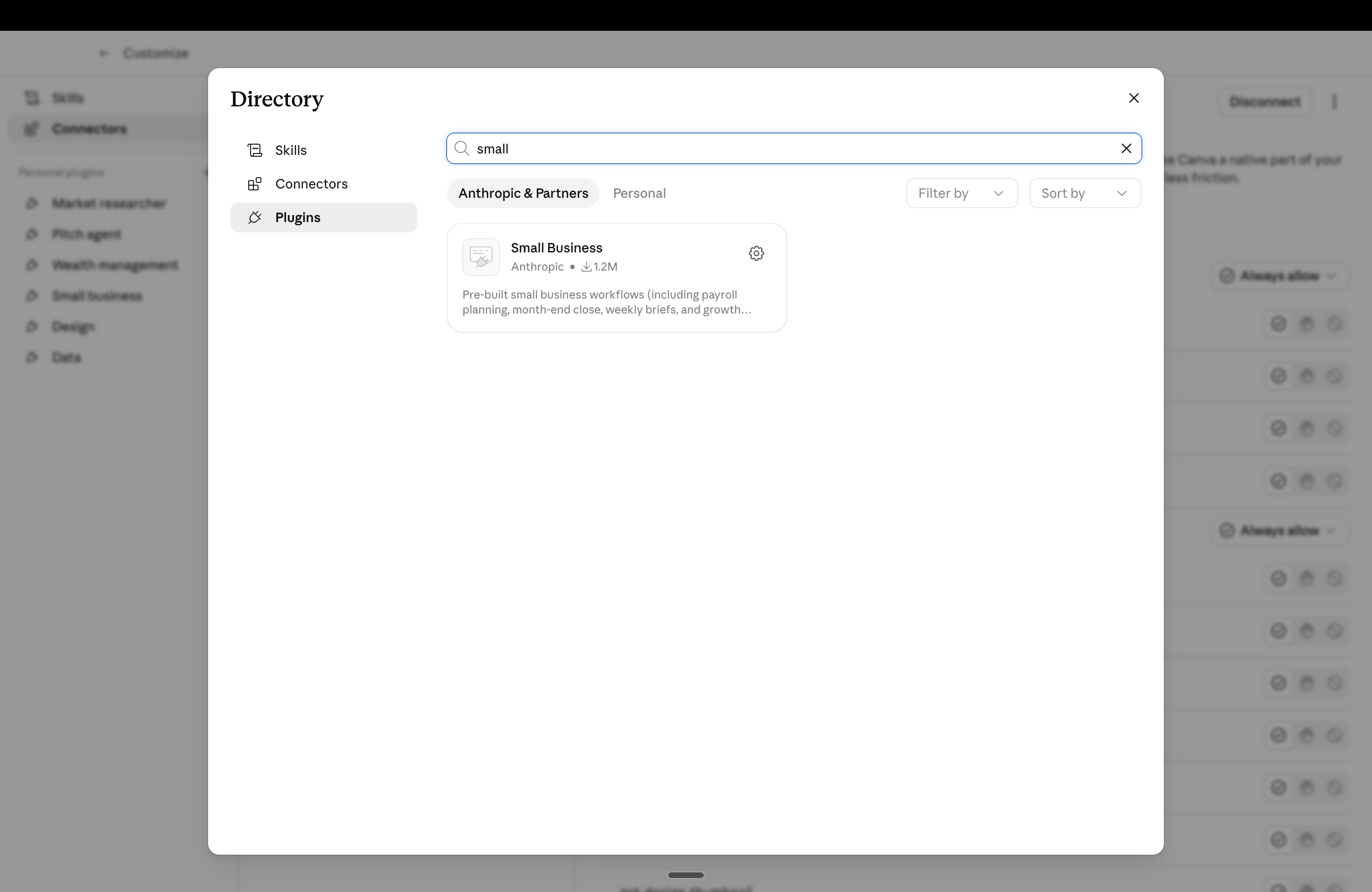
The plugin lives in Co-Work, the multi-app workspace inside Claude. You will not see Co-Work at all on the free plan. If the sidebar is missing the Co-Work entry, upgrade to Pro before continuing. The plugin itself does not cost anything beyond the Pro subscription.
Three words. One guided setup.
Once the plugin is installed, you do not configure it manually. You type one prompt and Claude walks you through the whole thing: which tools to connect, what permissions to grant, and what your first workflow should be.
Start with two. Add the rest later.
The plugin supports the connectors below out of the box. You do not have to connect them all on day one. Start with accounting and your document workspace. Add the others as you actually need them.
The two-tool minimum.
These two together cover where your money is and where your contracts live. Almost every useful weekly answer pulls from one of them.
- Xero · accounting
- Google Workspace · mail, drive, calendar
The five-tool stack.
Same five as Day 04. Three are plugin-native. The other two route through Apify and Zapier, the same MCPs you installed in the previous guide.
- Xero · accounting · native
- DocuSign · contracts · native
- HubSpot · tenant + prospect CRM · native
- Property portals · via Apify MCP
- Buildium · via Zapier MCP
Buildium, AppFolio, Rightmove and Property Finder do not yet have native connectors inside the plugin. You can still reach them through the Apify and Zapier MCPs from Day 04. The plugin is the easy layer; the manual MCPs cover what the plugin does not.
One prompt. Whole portfolio.
The pulse is the headline workflow. Run it once a week. It pulls payment timing, upcoming handovers, portfolio performance, cash position, and any outstanding tasks into a single page.
Beyond the pulse. Three you should try first.
The plugin ships with 15 workflows. These three matter most for a property portfolio. Run one each day for three days and you will have a feel for how the whole system thinks.
Every late payer, politely nudged.
The plugin's invoice chaser workflow, repointed at tenants. It scans for rent or service-charge invoices past their due date, drafts a polite chase to each tenant, and queues them for your approval. You see every draft before anything sends.
Your books, tax-ready in an hour.
The plugin's month-end workflow, expanded to a quarter. It finds uncategorised property transactions, flags duplicates, surfaces unusual maintenance spend, and drafts a portfolio P&L by property. Send the output to your accountant instead of three weeks of spreadsheets.
Every new deal, scoped before the call.
The plugin's campaign-planner workflow, repointed at a specific property. Give it the listing link, ask for a one-page brief with comps, expected yield, financing notes, and the three questions to ask the agent. The output is ready before your viewing call.
Permissions. Money. Approvals.
The first thing most property investors ask when they hear "AI runs my portfolio" is some version of: can it move my money. The plugin's defaults answer that question on day one, and they are worth understanding before the second cup of coffee.
Claude does not send, post, or pay anything without your approval. Every draft, every transfer, every email sits in a queue until you confirm. Your existing tool permissions carry over: if your Xero login cannot see a particular entity, neither can the plugin. The rule of thumb is that the plugin operates strictly inside the doors you already have keys to.
The practical version of this for a property portfolio: a contractor or assistant you add to the plugin cannot see anything they could not already see in the underlying tool. The plugin inherits, it does not expand.
For anything that touches money, treat the plugin as a junior analyst. It does the research and drafts the email. You read the draft before it sends. Set up that habit on the first Monday, not after the first surprise.
What the plugin still gets wrong.
Four limits worth knowing before you wire it to your books and your contracts.
It is not a property platform
The plugin is built for generic small businesses. The connectors are accounting, payments, email, docs, and CRM. Property-specific tools like Buildium, AppFolio, Rightmove and Property Finder are not in the box. For those, route through Apify and Zapier MCPs as covered in Day 04.
It does not replace your accountant
It cleans transactions, drafts P&Ls, and flags anomalies. It does not file your VAT return or sign off on a UK self-assessment. Treat its quarter-end output as the prep your accountant works from, not the final submission.
Data quality is your job
If your Xero categorisation is sloppy, your weekly pulse will be sloppy too. The plugin does not fix bad inputs, it surfaces them. Plan to spend the first two weeks tightening the source data before you trust the synthesis.
Heavy use needs the bigger plan
Pro covers a typical retail landlord. If you run multiple portfolios, several entities, or a full agency, the per-day message limits inside Co-Work will bite by mid-month. The Max plan or a Team workspace is the upgrade path.
How this stacks.
Day 01 installed the underwriter. Day 02 built the strategist. Day 03 forced you to look past the marketing. Day 04 wired your books, contracts, and CRM in one connector at a time. Day 05 takes the same kind of wiring and ships it as a single bundle, so you do not have to think about it.
Day 04 was the manual stack. Day 05 is the express lane.
Both paths end in the same place: a single chat that touches the systems already holding your portfolio data. Day 04 gives you precision and reach. Day 05 gives you speed and bundled workflows. Most portfolios end up running both, with the plugin handling the standard weekly operating cadence and the manual MCPs covering the property-specific edges.
By your second Monday pulse.
A morning briefing. Run by a plugin you installed in five minutes.
By your second Monday, the plugin will know which tenants pay late, which contractors are slow to sign, and which of your payment schedules is creeping up on you. The pulse will surface the three things that matter that week before you have made coffee.
The unlock is not that the plugin replaces anything you were doing. It is that it ends the part of every Sunday evening where you log into seven tabs to remember what is owed and to whom. The portfolio is already telling you what it needs. You just have to read it.